
Live tagging with videocoach+
Live analysis. Reimagined.
Mark match scenes during the game on iPhone or iPad. videocoach Live connects video source, desktop, and app in one clear analysis flow.
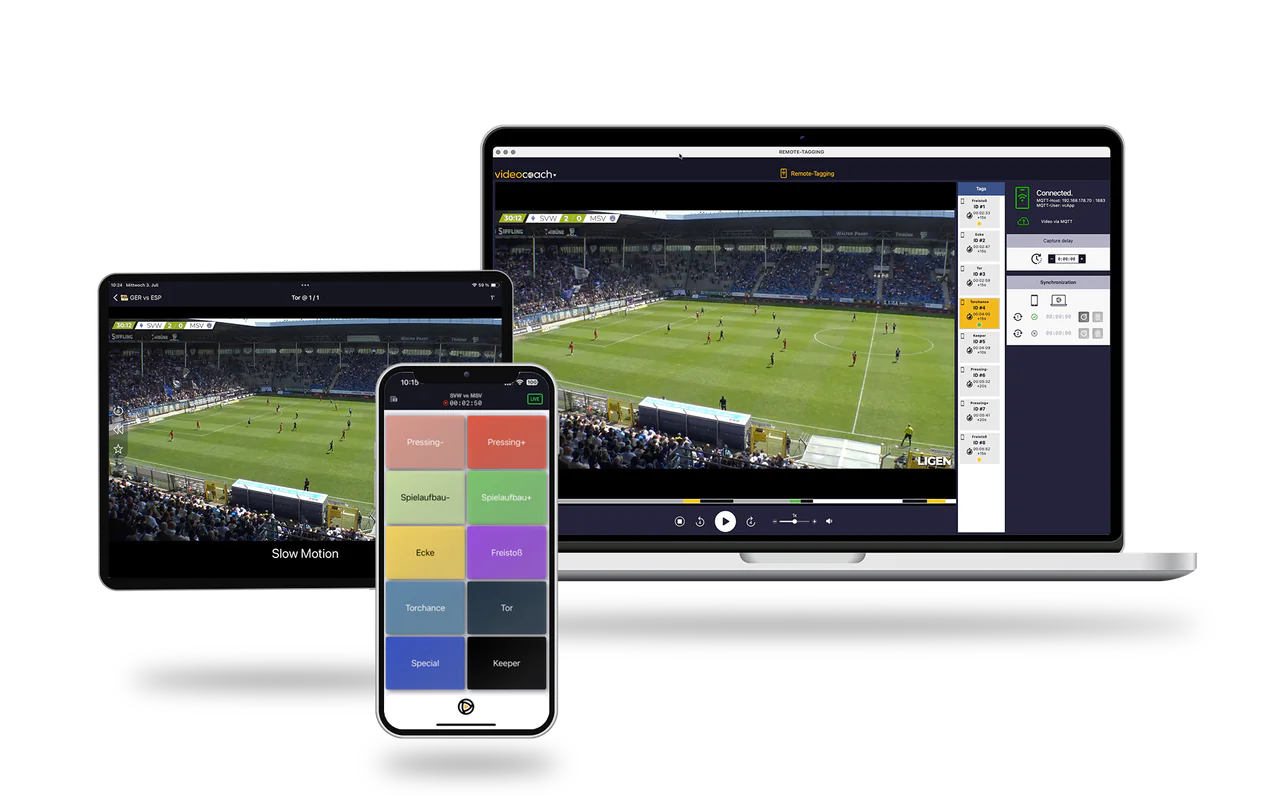
videocoach+
Tag where the game happens.
Mark actions right on the sideline, on the bench, or while scouting. One tap is enough to place the scene into your live workflow.
Live workflow
From the match straight to analysis.
Camera signal, live recording, and mobile tagging work together. The match turns into a prepared analysis without losing the moment.
Flexible setup
One setup. Maximum flexibility.
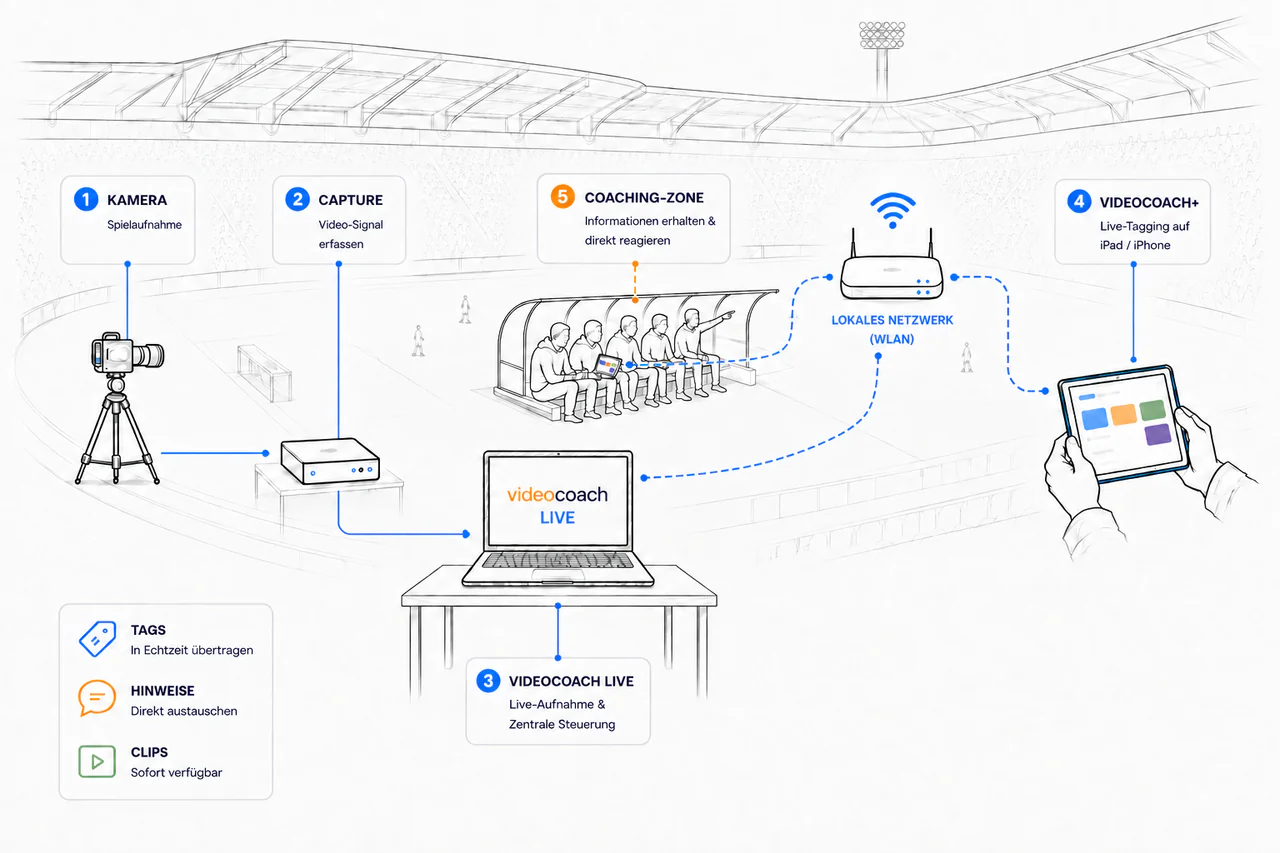
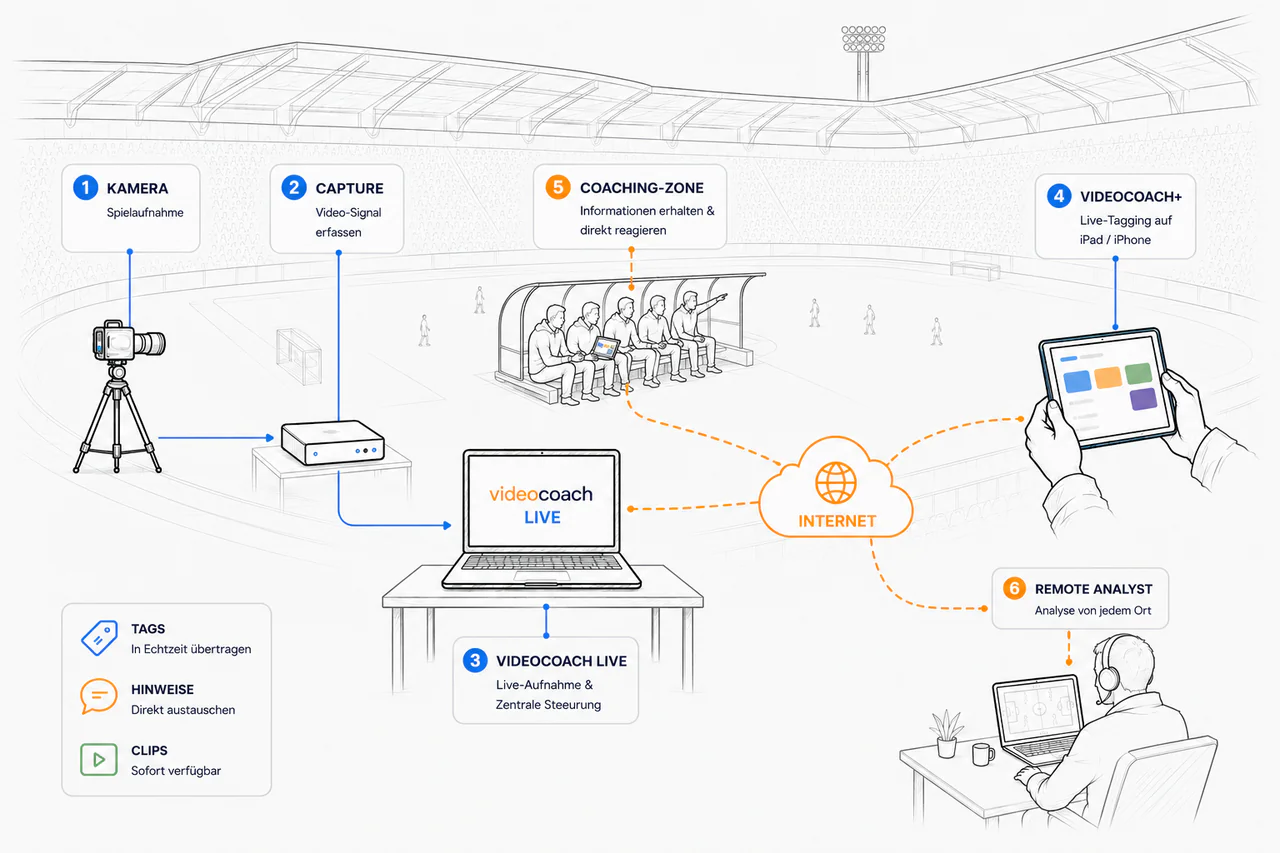
Whether you work right beside the pitch or from another location, videocoach Live connects recording, tagging, and analysis flexibly. Use a local network or bring analysts in over the internet, depending on match day and your team.
Local at the pitch
Tag match scenes with videocoach+ over the local network directly on iPhone or iPad.
Connected remotely
Bring analysts into the live workflow over the internet, even when they are not at the venue.
Fits your setup
Connect camera, capture, laptop, and mobile devices around your use case and team.
Coaching zone
The scene where it is needed.
Tagged scenes can be available as video clips directly on the tablet. Coaches and players can review relevant moments while the game is still running.
Live review
Rewind while the match continues.
Review tagged scenes during the ongoing recording. You can watch situations again without interrupting the live capture.
Remote analysis
Live analysis is not tied to distance.
With videocoach Live and videocoach+, notes and tags are exchanged with the coaching zone in real time. Analysts can work away from the team and still deliver relevant information during the match.
After the match
Your analysis is already prepared.
Tags, categories, and clips continue directly in videocoach. Filter, sort, and deepen your analysis without rebuilding match day from scratch.
Setup
Your live setup.
Camera, capture solution, and a laptop with videocoach Live form the recording setup. videocoach+ connects iPhone or iPad to the live workflow.
Camera
The match signal is the base for recording and analysis.
Capture
The capture solution brings the signal into the live workflow.
videocoach Live
The ongoing recording remains the central base on the laptop.
videocoach+
iPhone or iPad are used for tagging and clip review.
Internet
Part of the existing live setup on the current page.
Live tagging
Ready for match day?
We help you set up videocoach Live for your team, infrastructure, and analysis workflow.